Features
Everything Orbit does
Screens
What Orbit looks like
On the phone
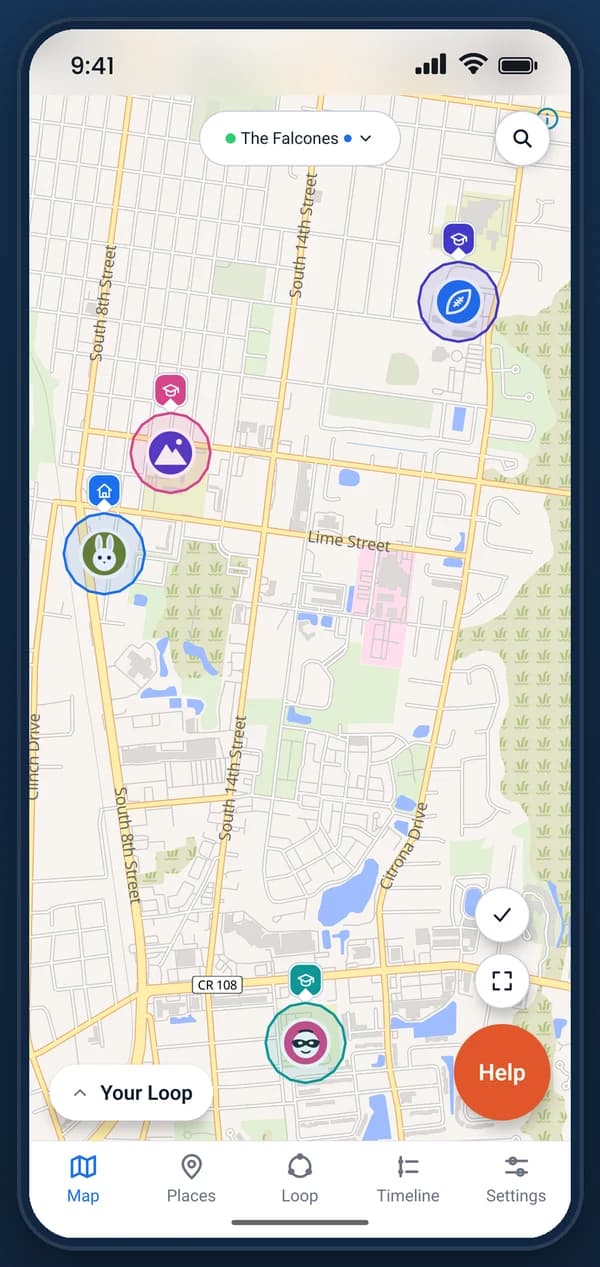
See your family on one map
Everyone in your loop, as they move.
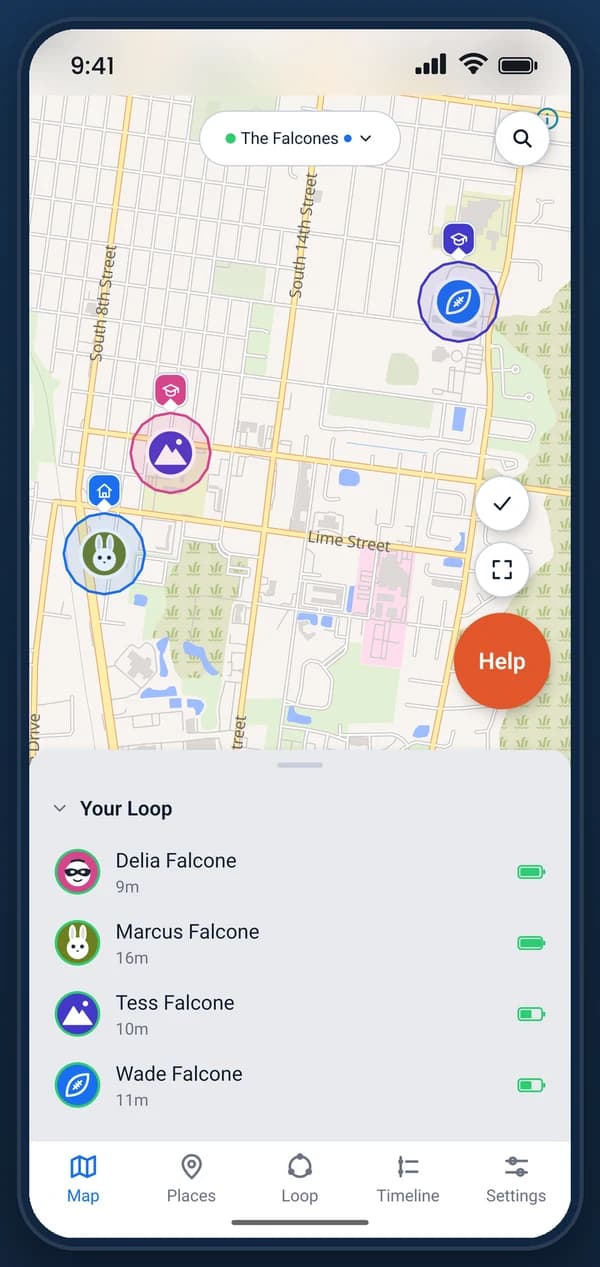
Everyone at a glance
Who is sharing, how recently, and their battery.
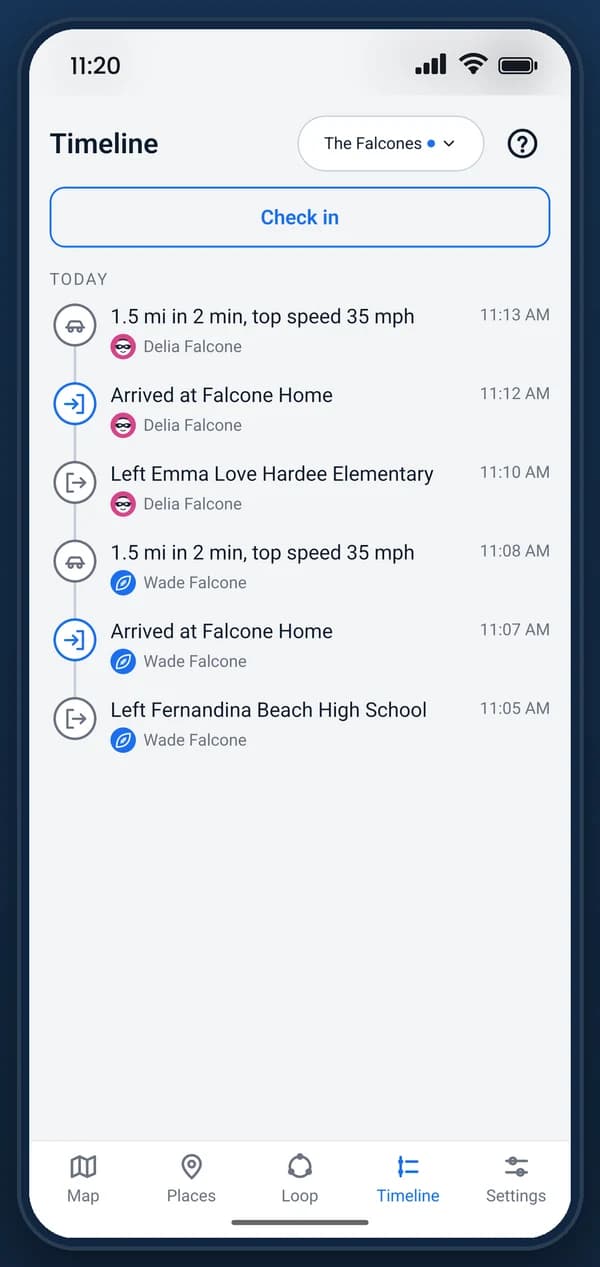
Know when they arrive
Arrivals, departures and check-ins as they happen.
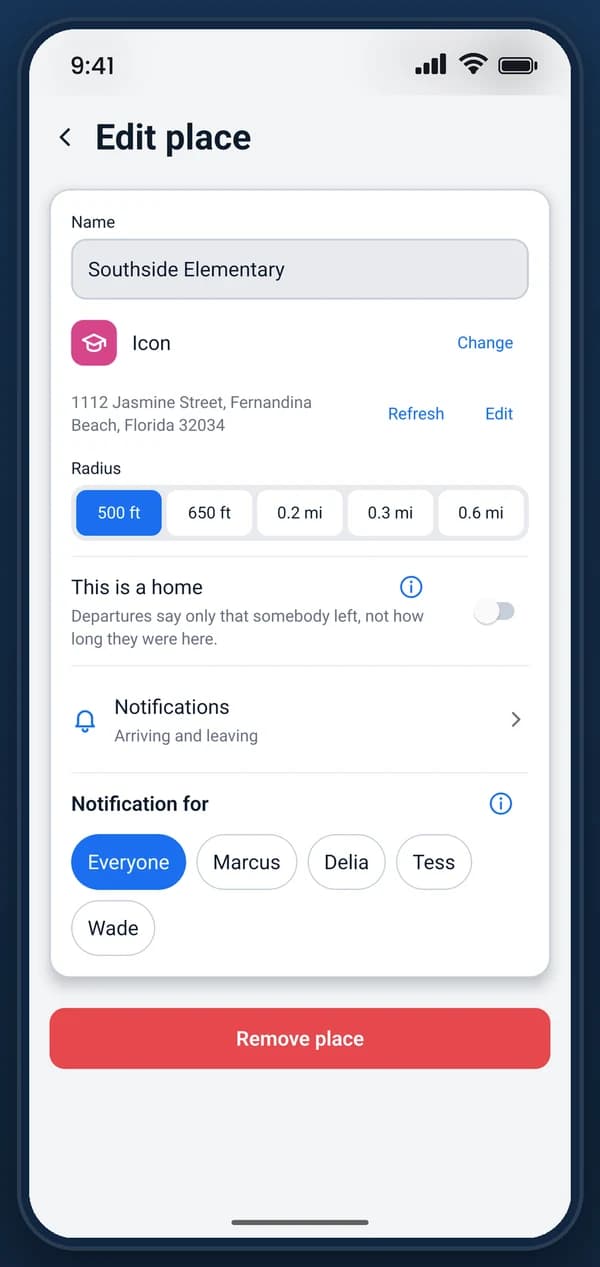
Set the places that matter
Home, school, grandma’s: sized in one tap.
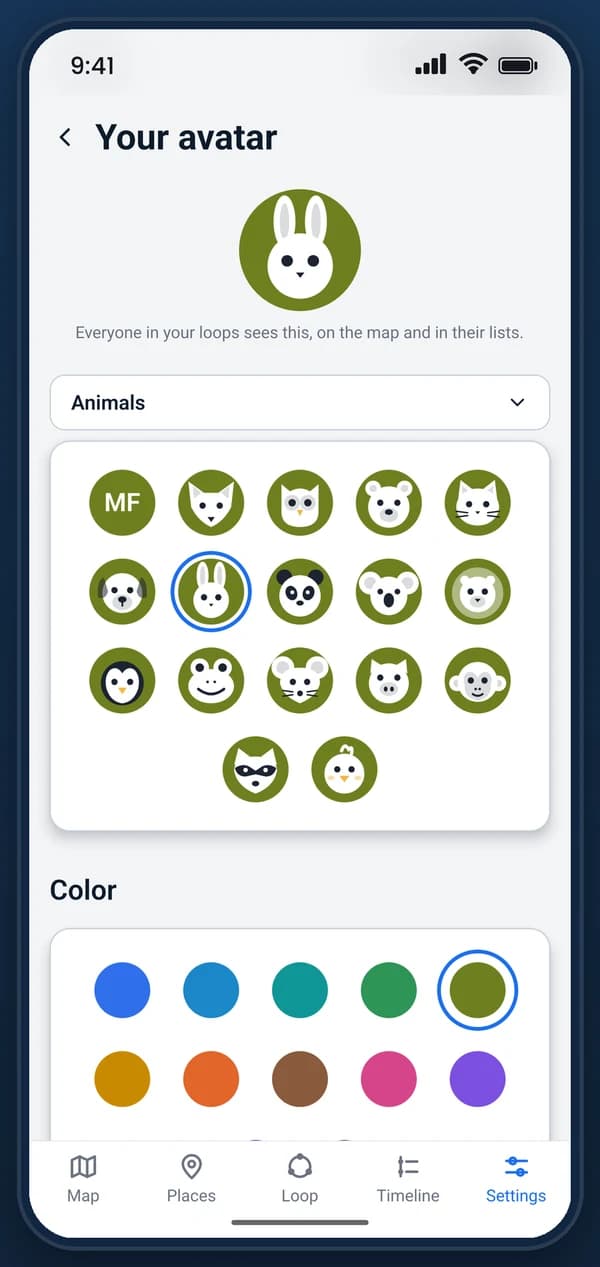
Make it yours
An avatar for everyone, an icon for every loop.
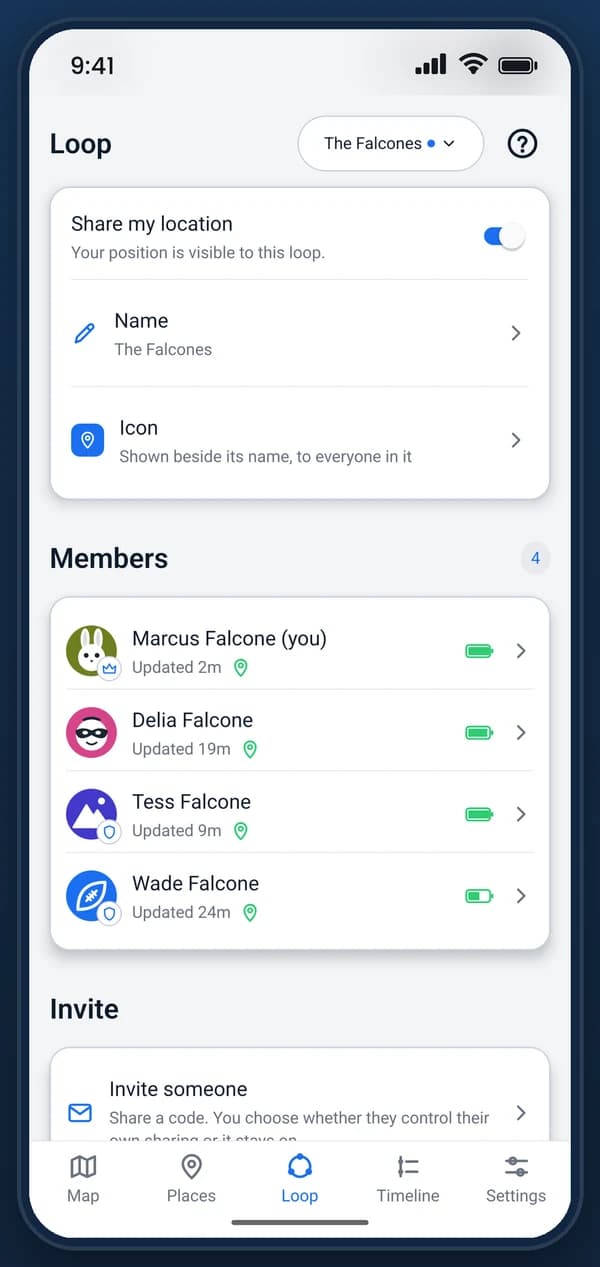
See who can see you
No hidden mode. History deleted after 2 days.
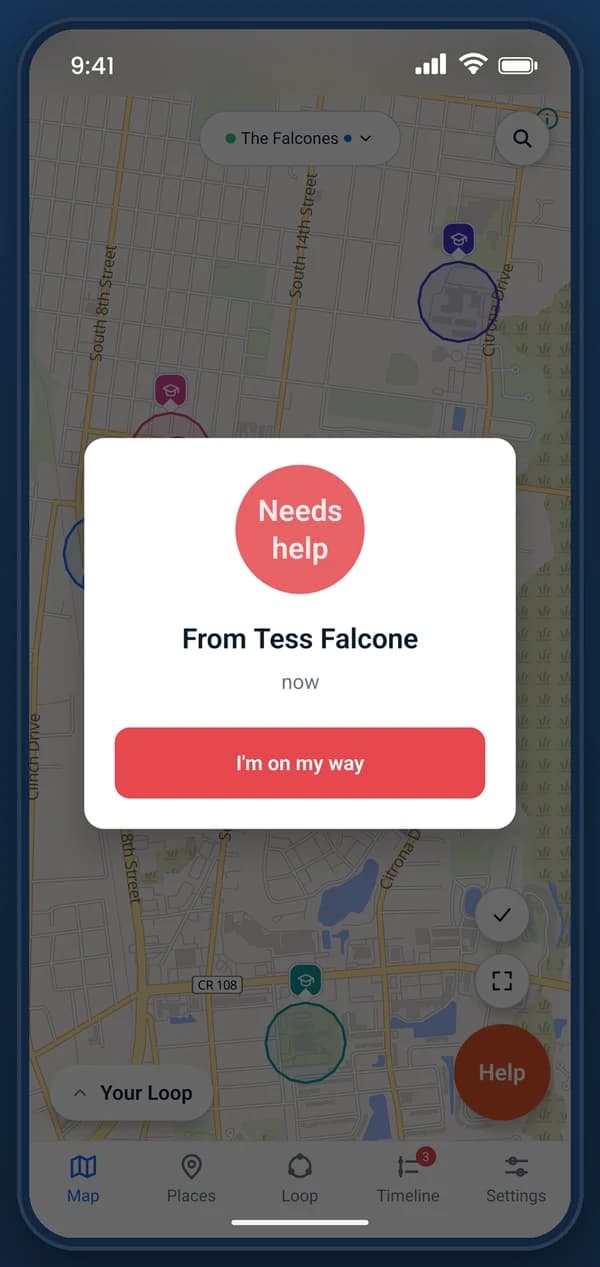
Help in one press
Hold Help and your whole loop is alerted at once.
On the watch
Apple Watch
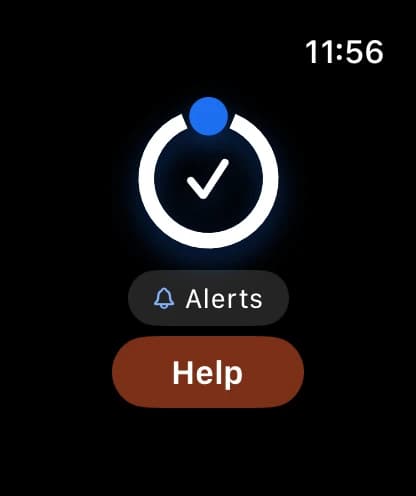
Check in from the wrist
One tap tells the loop you’re fine. Help sits just below it.
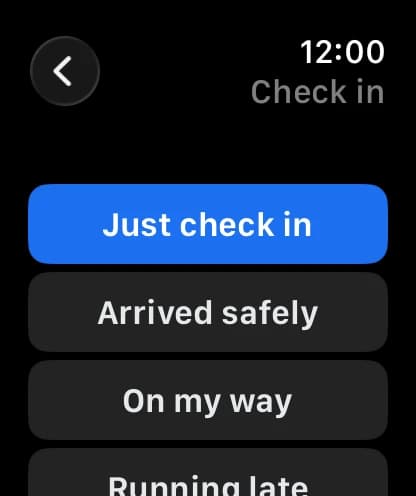
Say a little more
Arrived safely, on my way, running late: sent from the watch itself.
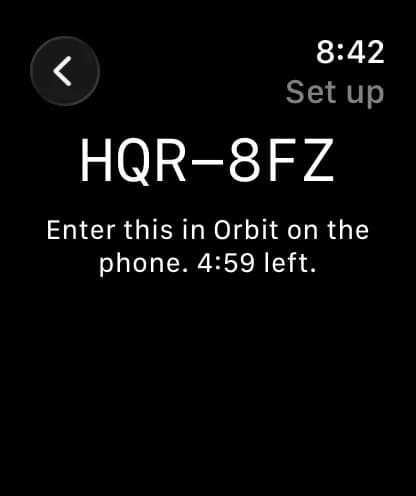
Set up with a code
The watch shows a code, and the phone that approves it types it in.
Wear OS
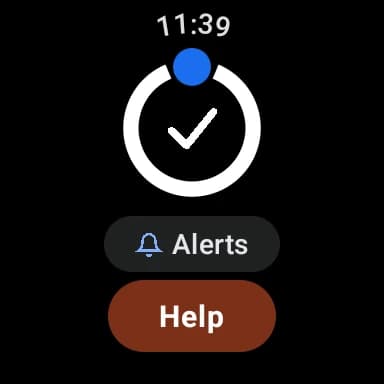
Check in from the wrist
One tap tells the loop you’re fine. Help sits just below it.
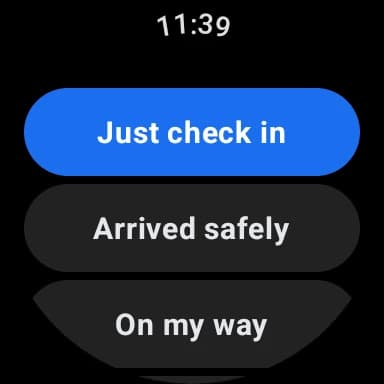
Say a little more
Arrived safely, on my way, running late: sent from the watch itself.
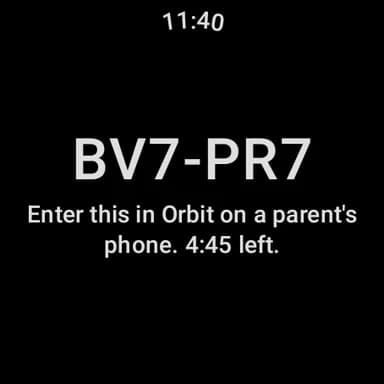
Set up with a code
The watch shows a code, and the phone that approves it types it in.
The map
- Your loop, your family, with how long ago each one was seen.
- One pin per person.
- Battery level for every device, so you know what is about to go flat.
- Your saved places, drawn at the size you set them.
- Search by name, address, or kind of place: “Starbucks”, a street address, “BBQ”.
- Typos are fine, and you never have to type “near me”.
- Tap someone to see more. Tap a place to change it.
- Everyone chooses how they look: an animal, a character or a shape, on a color of their own. There are no photos.
Places
- Home, school, a grandparent’s house. You choose how big it is, up to 50km.
- Choose whether arrivals, departures, or both are announced.
- Choose who they are announced about, so school can tell you about the kids and not the driver.
- A departure says how long they stayed.
- Everyone in the loop sees the same places.
- Give a place an icon and a color, so the map says what kind of place it is before you read its name.
- A place can be temporary: switch on Temporary when you add it, and it disappears by itself after 24 hours.
- A temporary place counts toward its loop’s places until it goes. In a temporary loop, every place ends when the loop does.
Temporary loops
- A loop for one occasion: a concert, a trip, a day out. Switch on Temporary when you start it.
- It ends 24 hours later for everyone in it, and cannot be extended.
- Everyone in it is told an hour before it ends, unless they have silenced it.
- Then it is deleted, with its places, its timeline and everyone’s membership.
- Always free, with or without a subscription. It never counts toward the loops your plan covers.
- Up to 2 running at once, with up to 3 places in each.
- Its invite code stops working when it ends.
Worth knowing
- Nobody can be supervised in a temporary loop, so it is not how a child joins.
What gets recorded
- A request for help, which reaches every loop you are in at once.
- A low battery, while there is still time to charge it.
- A phone that has gone quiet.
- Arriving somewhere, and leaving it.
- A check-in, sent on purpose, with a message and a location.
- A speed alert, but only if a speed has been set for that person. One per journey, not one per fast reading.
- Someone asking where you are. They are named, and the whole loop sees them ask.
- A finished drive. The drive itself is never announced, only recorded.
Worth knowing
- Silencing an alert never removes it from the timeline.
What interrupts you
- Urgent: somebody asking for help, and a low battery if you turn it on.
- Arrivals and departures, and a phone gone quiet if you turn it on.
- Check-ins, speed alerts, and someone asking where you are.
- All on one screen: turn each kind on or off, or silence a whole loop, one person, or one place.
- A request for help always comes through, whatever you have silenced.
- Silencing hides the alert and never the record.
- If your account is used on a new device, your other devices are told and you get an email.
Worth knowing
- An iPhone cannot silence one kind on its own. It is all of Orbit’s alerts or none.
- Nothing overrides Do Not Disturb, including a request for help.
Watches
- A watch reports on its own. A child with a watch and no phone is still on the map.
- A parent can set up a child’s watch from their own phone.
- A watch can send its position, ask for help, and check in. That is all it can do.
- Checking in from a watch sends where it is with the message.
- It cannot see anyone else’s location, your places, or your account.
- A button one swipe from the watch face, to ask for help or check in.
- Alerts on the wrist.
- An Android watch reports every minute or two while its wearer is walking, cycling or in a car, instead of every fifteen.
Worth knowing
- A watch works differently from a phone, and that is the watch, not Orbit. A watch gives apps far less time to run in the background, to make a small battery last the day.
- An Apple Watch can’t share its position continuously, so it updates less often than an Android one. Outside a workout, Apple lets an app check where it is only now and then: about once an hour on its own.
- Ask where they are and an Apple Watch shows your request. Tapping it opens Check in, and checking in sends where they are. With Orbit on their watch face, the ask also wakes the watch to send its position by itself, even if they dismiss it. Apple allows about fifty of those a day.
- An Android watch works more like a phone, but its battery saving can still hold back an update, sometimes for an hour or more. Orbit wakes a watch that has gone quiet, which shortens those gaps without ending them.
- Arrivals and departures from a watch can be late for the same reason: a watch can only announce one once it reports.
Someone in your care
- For a child, or an adult you look after, rather than someone you simply share with.
- Their sharing stays on. They cannot pause it or leave the loop.
- They cannot join another loop or start one of their own.
- They can see that it is on, and who set it.
- An admin sets it, and the whole loop can see it is set.
- A child with no email address can be added straight away.
- Turning it off is one switch, and hands the choice back to them.
Worth knowing
- Orbit cannot override a phone. It can still be switched off, refused permission, or deleted.
- When that happens Orbit shows the position has gone stale. It cannot stop it.
- There is no hidden mode, and there will not be one.
Privacy and safety
- Location history is kept for 2 days, then deleted.
- Pause sharing whenever you like. Everyone in the loop is told you have.
- Nothing is sold. No adverts. The subscription is the only money Orbit makes.
- Get help works from the lock screen, without unlocking the phone.
- Lock Orbit itself behind Face ID, Touch ID, or a fingerprint.
- Delete your account from inside the app. It tells you what goes with it first.
- A temporary loop, for a concert or a day out, ends 24 hours after it is made. Then it is deleted for everyone, with its places and its timeline, and it cannot be extended.
If someone else gets in
- Too many wrong passwords and the account locks itself.
- Changing your password signs out every device, including the one you are holding.
- “Sign out everywhere” ends every session and changes the invite codes for your loops.
- Your loop members are emailed to say why, because they shared their location with that account.
- See every device on your account, when it last reported, and remove any of them.
- A wrong reset link and an expired one give the same answer, so nobody can use them to find out who has an Orbit account.
Worth knowing
- There is no two-step sign-in yet.
On the web
- Join a loop from an invite link before you install anything.
- Confirm your email, reset your password, or stop any kind of email.
- Delete your account, by a link we email you.
Worth knowing
- There is no sign-in and no map here. Your loops, places and locations are in the app and nowhere else.
Paying for it
- Thirty days free on your first loop. No card, and no reminder to cancel.
- One subscription covers every loop you own, on any phone. Monthly or yearly.
- Joining someone else’s loop is free, and always will be.
- A payment that fails does not cut you off that day. The store retries it, and there is time to fix it.
- If a loop does lapse it stops sharing locations and keeps everything else.
- Nothing is deleted, and Get help still works.
- Temporary loops are always free, with or without a subscription, and never count toward the loops your plan covers.
Worth knowing
- Subscriptions are bought and managed in the app, through the App Store or Google Play.
How well it works
- Orbit is not a sat-nav. Positions arrive every minute or two on the move, placed by Wi‑Fi and cell towers away from your places, and less often at rest, never every second. Near your places Orbit uses GPS, so arrivals and departures are precise and sent as soon as the phone sees them.
- Following someone second by second is what flattens a battery, and a flat phone tells you nothing.
- Positions come faster while someone is driving, and slower while they are still.
- A watch updates less often than a phone.
- Orbit still works if you refuse a permission. What you lose is reliability.
- A screen in the app names the permission holding that phone back, so nobody has to guess.
No card needed to start your trial. Cancel any time.